 8f158e4656
- Added a config section called "theme"
- Added config values `accent_color`, `bar_color`, `time_color`, `bar_head` and `bar_body`
- Added a `color_update_needed` flag
- Added a function `getDominantColor` to get the dominant color from the current album art
- Added a separate color pair for the time stamp
- Fixed variable error referenced before assignment
- Changed default progress bar look
Miniplayer
A curses based mpd client with basic functionality and album art.
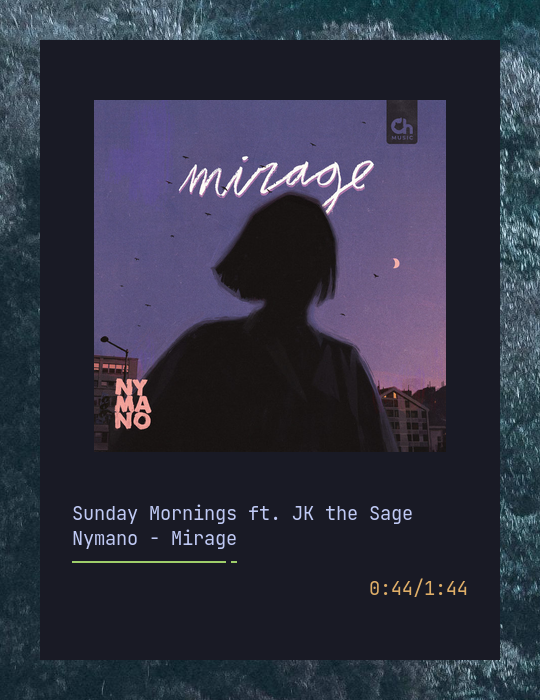
After installation, the player can be opened from the terminal with miniplayer.
Installation
This package can be installed by:
- Cloning this repository to your computer and running
python setup.py install
- Through PyPi with
pip install miniplayer
- By installing the
miniplayer-gitpackage with your AUR package manager of choice.
Configuration
The config file is located at ~/.config/miniplayer/config. The example configuration file, config.example, has all the default values. You will need to create the file yourself.
player
-
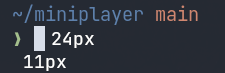
font_width: The width of your font in pixels in the actual terminal.
-
font_height: The height of your font in pixels in the actual terminal.
-
volume_step: The ammount (in percents) the volume will be adjusted on pressing the volume up and volume down keys.
-
album_art_only: Whether or not to only draw the album art and no other track info (
true/false). -
auto_close: Whether or not to automatically close the player once the mpd playlist has concluded (
true/false). -
show_playlist: Whether or not to show the playlist view.
art
- music_directory: The path to your music directory for extracting album art from the files.
- http_base_url: Base URL of webserver which serves the album art for your albums (takes precedence over
music_directory). Useful for users of Android MPD clients MAFA or MPDroid. For more information see the MPDroid wiki. - http_cover_filenames: Space separated list of filenames to use in the call to the webserver to fetch the album art.
- image_method: The method to use for drawing album art. Available values are
pixcatandueberzugIf you are not using Kitty, tryueberzug.
mpd
- host: The mpd host
- port: The mpd port
- pass: The mpd password
keybindings
This section allows you to change the keybinds for the player. The format for a keybind is key = action (for example p = play_pause or left = last_track). Available actions are
play_pausenext_tracklast_trackvolume_downvolume_uptoggle_infohelpquitselect_downselect_upselect
Default keybinds
| Key | function |
|---|---|
| h | Show keybinds |
| p | Play/pause |
| > | Next track |
| < | Last track |
| q | Quit |
| + | Volume up |
| - | Volume down |
| i | Toggle info |
| Up | Selection up |
| Down | Selection down |
| Enter | Play selected song |
These keybinds can be changed by editing the config file. See the config.example file for the format.
F.A.Q.
-
Q: Album art is not showing up.
A: If you're usingmusic_directoryfor fetching your album art, make sure your it is not quoted i.e. if your music directory is~/My Musicthen your config should look likemusic_directory = ~/My Music.
If this does not work, try changingimage_methodfrompixcattoueberzugor vice versa. -
Q: Album art is too big/too small.
A: You need to configurefont_heightandfont_width. Their values should be the actual pixel height and width of a character in your terminal.
More screenshots!
